This topic only applies to built-in SpeedLine loyalty programs that are set for Product Value or Product Count. See Set Point Accumulation (in Store Manager Help) for more information.
If your SpeedLine loyalty program members earn points based on the purchase of certain products, those products must be "tagged" in Menu Designer.
|
Note If you are using a Paytronix loyalty program, see Integrating Paytronix Loyalty with Your Menu for an explanation of the options for identifying loyalty menu items. |

To Identify Menu Items as SpeedLine Loyalty Products
1.In the Menu Root,  click a menu item node.
  (You may have to expand Group nodes
  to locate the menu item.)
2.In the Property Editor, click the As Item tab.
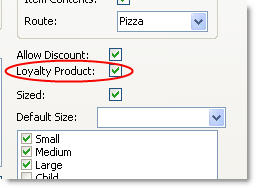
3.Select the Loyalty Product check box.
See Also:
•Set Point Accumulation (Store Manager Help)